Press Mentions
Press Mentions helps you find external websites that mention or link to your tracked artist, track, curator, or playlist. Use it to monitor new coverage, review where your Spotify pages are being referenced, and spot lost mentions that may affect your visibility.
Where to find Press Mentions
Open SEO & Press Overview.
Stay on the Playlists area if it is not already selected.
Use the entity tabs to switch between Playlists, Curators, Artists, and Tracks.
Scroll to the Press Mentions section to review current results.
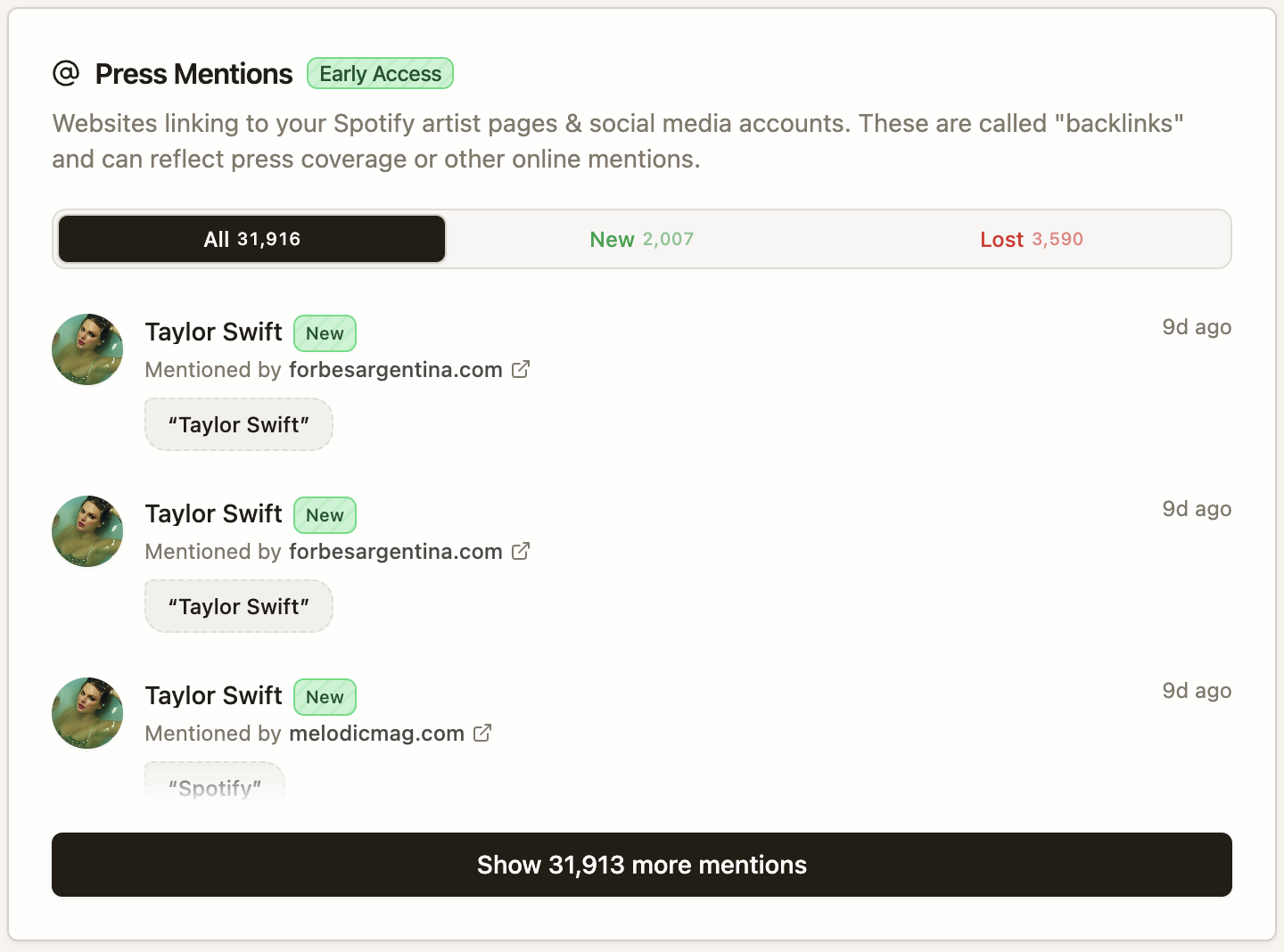
You may also see this same data described elsewhere in artist.tools as Backlink Mentions or Press Coverage. These labels refer to the same general workflow: reviewing outside websites that mention or link to a Spotify entity.
What Press Mentions shows
Press Mentions helps you answer three questions quickly: who is mentioning this entity, what kind of source it came from, and whether the mention is still active.
Source: the website that mentioned or linked to the entity
Anchor text: the visible wording used in the link, when available
Target: the artist, track, playlist, or curator page being referenced
Status: whether the mention is new, lost, or still active
Depending on the results available for the entity, you may also see filters or view controls that help you focus on recent or changed mentions.
How to use it
Start with recent mentions to see which blogs, directories, or roundups are already referencing your Spotify pages.
Check the source domain before you act on a mention. A relevant music site is more useful than a low-quality or unrelated page.
Review lost mentions to find coverage that disappeared after a campaign, release cycle, or page update.
Compare mentions across playlists, artists, tracks, and curators to understand where your off-platform visibility is strongest.
How to interpret mention status
New: a mention or backlink was recently discovered
Lost: a previously detected mention is no longer being found
Active: the mention is still being detected without a recent status change
Common questions
Why do I not see any mentions?
The entity may not have external coverage yet, or artist.tools has not found any active mentions for it.
Why did a mention disappear?
The source page may have changed, the link may have been removed, or the page may no longer be accessible.
Can I remove a mention from artist.tools?
No. Press Mentions is read-only. To change or remove a mention, contact the site that published it.
What to do next
Use Playlist SEO tab to connect off-platform coverage with your playlist SEO workflow, or open SEO for Artists and Tracks if you want to compare entity-level SEO signals.