Keyboard Shortcuts
Mastering keyboard shortcuts can supercharge your workflow and help you navigate our app faster. Below, you'll find a selection of handy shortcuts designed to make your experience smoother and more efficient.
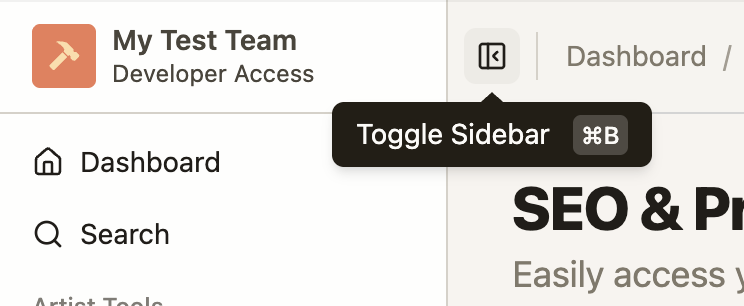
Toggle application sidebar
Expands or collapses the application sidebar on desktop, giving you more space to focus on your work or quick access to navigation.
Shortcut:CTRL + B (or CMD + B for Mac)
Focus search bar
Focuses the header-level search bar so you can start typing immediately. This can reduce a click, improving navigation speed into specific entities.
Shortcut:CTRL + K (or CMD + K for Mac)

Select multiple folders (Dashboard + Saved Keywords)
Selects multiple folders in the Dashboard and Saved Keywords pages, letting you view the contents of multiple folders at once. Incredibly useful for searching and sorting across many different folder contexts.
Shortcuts:
CTRL+A(orCMD+Afor Mac)
Selects all available folders in the view
CTRL+Click(orCMD+Clickfor Mac)
Select or unselect asingle folder from the selected view
SHIFT+Click
Similar to CTRL + Click, except it selects all the folders between the currently selected folder, and the clicked folder, allowing you to select a range of folders in one click.
Mobile shortcuts
On mobile, the desktop keyboard shortcuts are replaced by the floating header chips. Tap the hamburger menu chip to open the navigation drawer, and tap the search chip to focus the search bar.
For more about the mobile header and drawer, see Mobile Navigation and Layout.