Invite team members to your team
Send invitations to add people to your artist.tools team. Only team owners and administrators can invite members, and the team must have a valid payment method.
Before you invite
You must be a Team Owner or Admin
Your team must have a valid payment method set up
Invitations expire after 7 days and can only be used once
Send an invitation
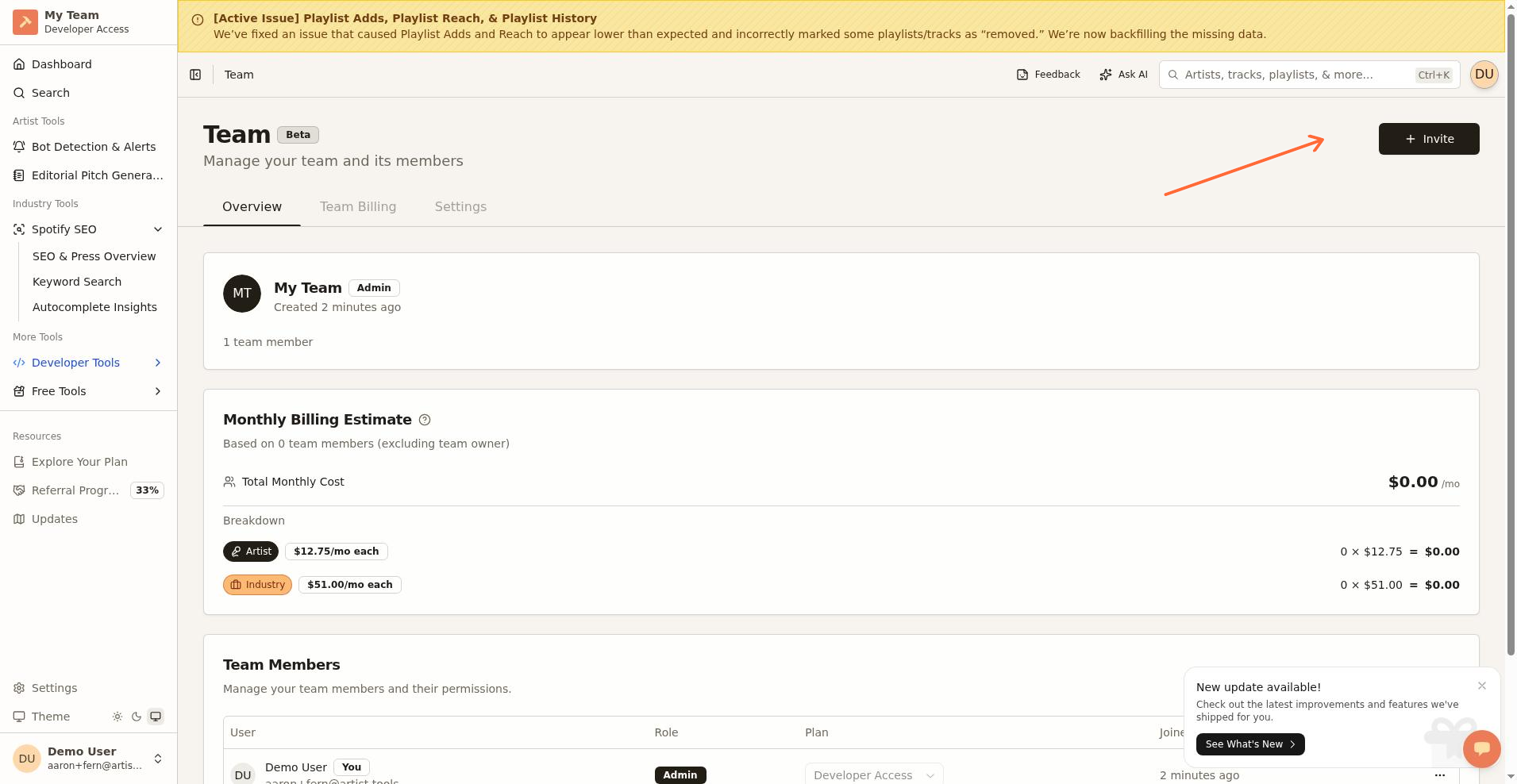
Go to /settings/teams or click Settings > Team from the sidebar
Click the Invite button (with a Plus icon) in the top-right corner of the dashboard
On the Invite Team Members page, enter the person's Email Address
Select their Role:
Member – Can only use team resources
Admin – Can manage team members and billing
Select their Access Type:
Artist Access – $12.75/month per seat
Industry Access – $51.00/month per seat
Click Send Invitation
Copy the shareable invitation link if needed
What happens next
The invited person receives an email with a link to accept the invitation. When they join, their individual subscription is automatically canceled and prorated. They'll receive a credit for any unused time.
Invitation limits
Each invitation link is single-use and expires after 7 days
If a link expires, send a new invitation
There is no bulk invite feature; send invitations one at a time
Can't invite someone?
See Team Accounts for troubleshooting payment issues, access errors, and other common problems.